Todo List KDP Interior: Ready-to-Publish Template
Launching a low-content book on Amazon requires more than just a good cover; the interior experience determines whether a customer leaves a five-star review or returns the product. For publishers targeting the productivity niche, this Todo List KDP Interior provides a streamlined solution to bypass the design phase entirely. Instead of spending hours aligning text boxes or worrying about margin safety zones, you receive a professionally structured layout that meets Amazon’s strict printing guidelines. This resource is specifically engineered for creators who want to maintain high quality standards while accelerating their publishing timeline.
The primary value of this template lies in its balance between simplicity and functionality. A common mistake among new KDP publishers is creating interiors that are too dense or visually cluttered. This 120-page layout avoids that pitfall by offering ample whitespace and clear writing areas, which is exactly what end-users seek in a physical planning tool. Whether you are an established publisher expanding your catalog or a freelancer testing a new micro-niche, having a reliable, pre-formatted base allows you to focus your energy on keyword research, cover design, and marketing strategy rather than technical formatting.
Technical Specifications for Seamless Publishing
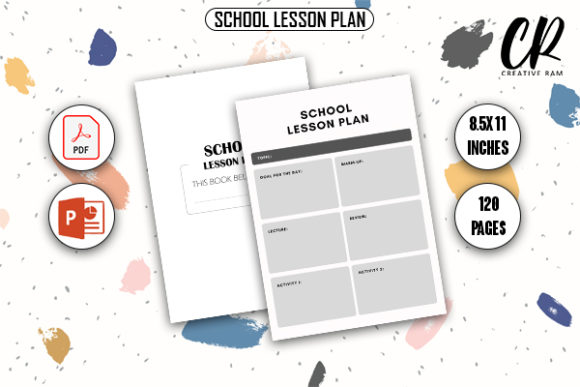
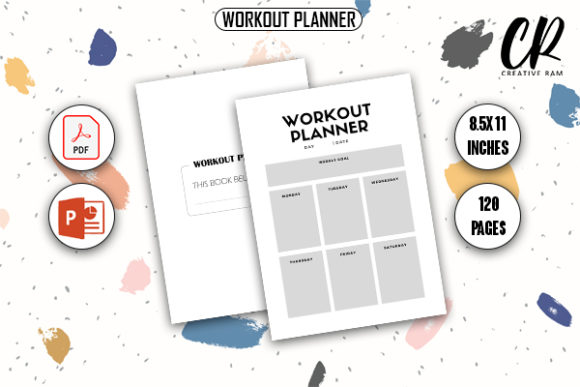
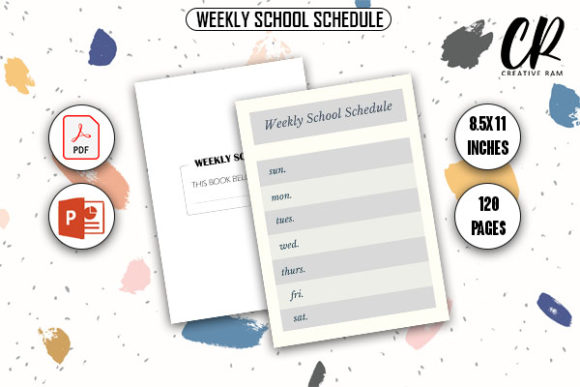
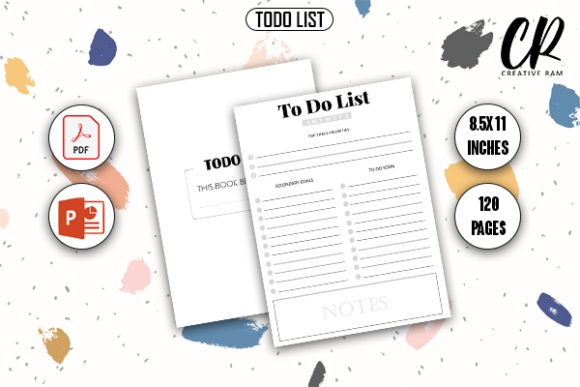
Understanding the technical parameters is essential before uploading any file to KDP. This Todo List KDP Interior is configured to the industry-standard 8.5″ x 11″ dimension, making it versatile enough for desk use, office organization, or academic planning. The page count is set at 120 pages, which hits a sweet spot for perceived value without driving up printing costs so high that your royalty margins disappear. At this thickness, the book feels substantial in hand but remains portable enough for daily carry.
Critically, this template includes bleed settings. Many rejection notices from Amazon stem from incorrect bleed configuration, where content extends too close to the trim line or fails to extend far enough beyond it. This file has the bleed already integrated into the document setup. When you upload the PDF, the system recognizes the correct trim size and safe zones automatically. This technical compliance reduces the friction of publishing and eliminates the anxiety of proof copy failures. You also receive both PDF and PPTX source files, ensuring you have a print-ready version for immediate upload and an editable version for future iterations.
Leveraging Source Files for Brand Differentiation
While the ready-to-use PDF is convenient, the inclusion of the PowerPoint (PPTX) source file is where long-term business value emerges. In a saturated market, differentiation is key. Having access to the editable source allows you to customize the interior to match a specific brand identity or sub-niche without starting from scratch. You can easily add a logo to the footer, change the font style to match your cover typography, or insert a motivational quote on every tenth page.
This flexibility transforms a generic template into a proprietary asset. For example, if you are targeting real estate agents, you might add a small section for "property address" or "client follow-up" within the existing layout structure. If your audience is teachers, you could modify the header to include "class period" or "lesson objective." These minor adjustments, made possible by the PPTX file, significantly increase the relevance of the book to a specific demographic. It allows you to create a series of related products from a single master file, maximizing your return on investment while maintaining consistent quality across your portfolio.
Practical Applications Across Diverse Niches
The utility of a well-designed todo list extends far beyond general daily planning. Successful KDP publishers understand that specificity sells. This interior serves as a foundational element for various specialized markets. Professionals often seek undated planners that allow them to pause and resume without wasting pages. The clean, repetitive structure of this Todo List KDP Interior supports that need perfectly, functioning as an eternal task manager for project managers, consultants, and remote workers who prefer analog tracking over digital apps.
In educational settings, this format works exceptionally well as a homework tracker or study planner. Students benefit from the visual clarity of a dedicated checklist format, which helps break down large assignments into manageable steps. Similarly, in health and wellness niches, the same layout can be repositioned as a habit tracker, medication log, or meal prep checklist. The neutrality of the design means it does not pigeonhole you into a single category. By simply changing the cover and title metadata, the exact same interior can serve a nurse, a college student, or a small business owner, each perceiving it as a tool tailored to their specific workflow.
Evaluating Quality and User Experience
When selecting a KDP interior, you must evaluate it through the lens of the end-user's writing experience. High-quality print readiness involves more than just resolution; it encompasses paper opacity considerations and line weight. This template uses optimized line weights that remain visible on standard KDP white paper without bleeding through when used with ballpoint pens or pencils. Dark, heavy lines can sometimes look unprofessional or distract from handwritten content, while lines that are too faint may disappear during printing. This design strikes the appropriate balance, ensuring the printed result looks crisp and intentional.
User experience also dictates the spacing between elements. A frequent complaint in low-content book reviews is that there isn't enough room to actually write. This 8.5″ x 11″ layout prioritizes functional space over decorative elements. The checkboxes are sized appropriately for quick marking, and the writing lines offer sufficient vertical clearance for most handwriting styles. When evaluating this or any interior, always order a proof copy to test with different writing instruments. Verify that the binding gutter doesn't encroach on the writing area, especially given the 120-page thickness. This template accounts for gutter margins, but physical verification remains a best practice for professional publishers.
Strategic Implementation for Publishers
Integrating this Todo List KDP Interior into your publishing workflow should be part of a broader quality assurance process. Before listing, ensure your cover design aligns with the interior's aesthetic. A minimalist, clean interior paired with a chaotic or overly ornate cover creates cognitive dissonance for buyers. Look inside features on Amazon allow customers to preview the interior, so consistency between your external branding and internal layout builds trust and reduces return rates.
Consider creating bundled offerings or series variations using the editable PPTX file. You might release a standard black-and-white version alongside a premium large-print edition for seniors, or a specialized version with added notes sections for creative professionals. Each variation targets different search intents while utilizing the same core structural assets. This approach not only diversifies your income streams but also establishes authority within the productivity niche. Remember that while the interior provides the canvas, your unique value proposition comes from how you package, position, and present this tool to your specific audience. The template handles the technical heavy lifting, freeing you to build a recognizable and trusted brand in the KDP marketplace.